Best Recipe Saver Apps in 2026: Save Recipes From Anywhere
The best recipe saver apps compared: social media import, cookbook scanning, organization, AI help and pricing, so you can pick the right one.
By Ayoub Farid · · 4 min read

Most of us save recipes in five places at once: a TikTok "favorites" folder, Instagram saved posts, browser bookmarks, a camera roll full of screenshots and a stained card from a relative. A recipe saver app pulls all of that into one place. The good ones also clean the recipe up so you can actually cook from it.
This guide explains what separates a great recipe saver from a glorified bookmark, compares the main types of apps, and helps you choose based on how you really cook.
What a recipe saver app should do
Before comparing names, decide which of these matter to you:
- Import from social media. If your recipes come from TikTok, Instagram Reels or Facebook videos, the app must turn a video post into written ingredients and steps. Many older apps only read recipe websites.
- Import from websites without the clutter. A good importer skips the ads, pop-ups and life story and keeps the ingredients, steps, time and servings.
- Scan paper recipes. Cookbook pages, magazine clippings and handwritten cards are where the best family recipes live. Look for camera scanning that handles handwriting.
- Organize and search. Collections (or folders, tags) plus search by recipe name and ingredient. "What was that thing with chickpeas?" should take seconds.
- Cook-friendly layout. Ingredient checklists, servings scaling and one step at a time on screen.
- Fair pricing. Some apps are a one-time purchase per platform, others use subscriptions, and most have a limited free tier. Check what the free tier actually includes.
The main types of recipe apps
AI recipe savers
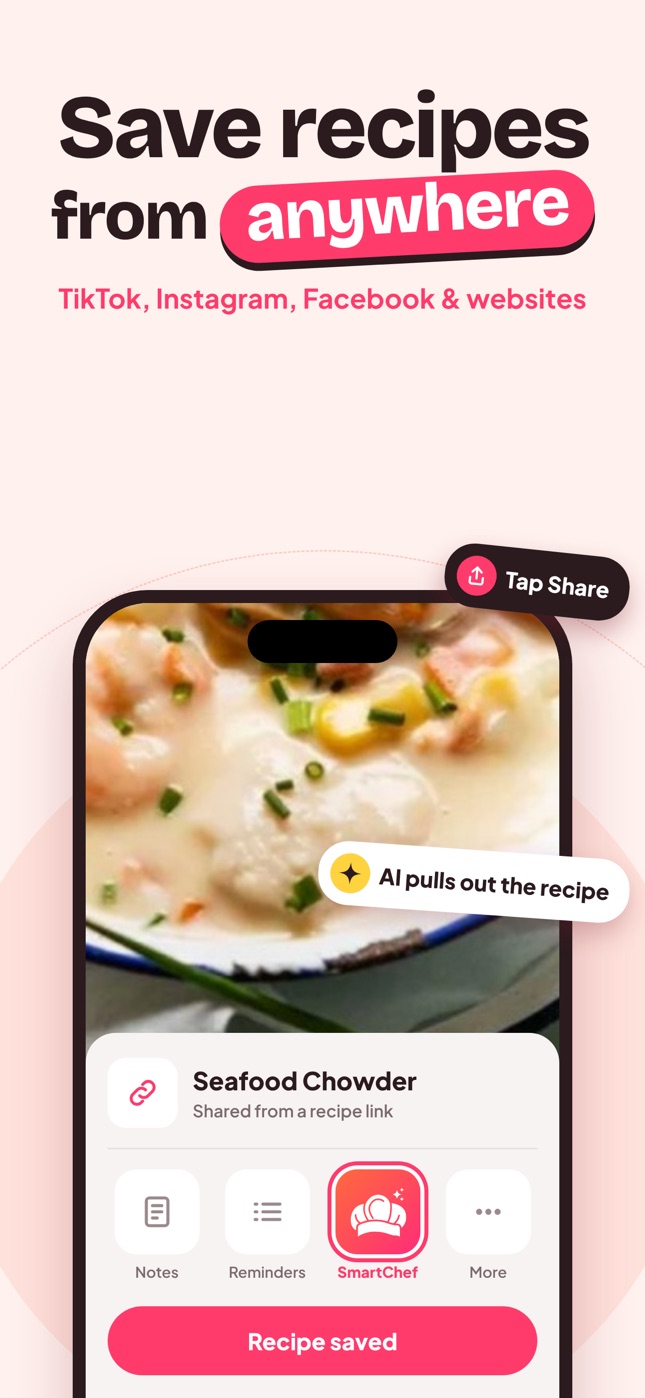
Newer apps use AI to read posts, videos, links and photos. SmartChef AI is an example: you tap Share on a TikTok, Reel or recipe website and choose the app, or scan a cookbook page, and it builds a clean recipe with ingredients, steps and estimated nutrition. It also includes an AI chef chat for substitutions and "what can I make with this?" questions.
Best for: people whose recipes come mostly from social media, and anyone with a stack of handwritten cards to digitize.
Classic recipe managers
Long-standing apps such as Paprika and Mela are excellent at importing from recipe websites and organizing a large library, and they are popular with people who prefer a one-time purchase. Their strength is the website-based recipe. If you are weighing these, our Paprika alternatives guide goes deeper.
Best for: large libraries built mainly from food blogs.
Social-first recipe apps
Some apps were built specifically around TikTok and Instagram saving, often with meal planning and grocery lists. Free tiers are usually limited to a few imports per week or month. See ReciMe alternatives for a comparison.
Best for: heavy social media savers who also want meal plans.
Notes apps and bookmarks
Apple Notes, Google Keep and browser bookmarks are free and already on your phone, but they don't extract ingredients, scale servings or survive a deleted post. We compare them in Apple Notes vs a recipe app.
How to choose in five minutes
- Mostly TikTok and Instagram? Pick an app with a share-sheet import that reads videos and captions, then test it on three of your saved posts.
- Mostly family recipes on paper? Test the scanner on your messiest handwritten card.
- Mostly food blogs? Almost any recipe manager will do; choose on organization and price.
- Want help while cooking? An app with an AI chef saves you switching to a chatbot mid-recipe.
Tip: import the same three recipes into every app you're considering (one video, one website, one handwritten card). The differences show up immediately.
Try SmartChef AI
SmartChef AI is free to download on iPhone and iPad and lets free users scan or import their first recipes; Premium unlocks unlimited imports, scans and AI Chef conversations. Start with the post you have been meaning to cook for weeks. Our guides on saving recipes from TikTok and digitizing family recipes walk through the details.
Frequently asked questions
What is the best app to save recipes from TikTok and Instagram?
Choose an app that imports from the share menu and reads the video, caption and on-screen text, not just the link. Test it with a few of your own saved posts before paying.
Is there a free recipe saver app?
Most recipe apps have a free tier with limits on imports or features. Notes apps are free but don't extract or organize recipes for you.
Can a recipe app read handwritten recipes?
Apps with AI scanning, such as SmartChef AI, can read clear handwriting from a photo. Check the result and fix any misread quantities before you cook.
Do recipe saver apps keep recipes if the original post is deleted?
Apps that extract the recipe into their own format keep your copy even if the original post disappears. Apps that only store a link do not.
Save it in one tap
Every recipe you love, in one smart kitchen
SmartChef AI saves recipes from TikTok, Instagram and any website, scans cookbooks and handwritten cards, and answers your cooking questions with an AI chef. Free to download on iPhone and iPad.
Download on theApp Store